
Most freshers write their skills section last, in a hurry, and it shows. They open a list of skills they found online, pick the ones that sound good, and paste them in a long line separated by commas. The result looks full and says almost nothing. A reader scans it, finds no reason to believe any of it, and moves on to the next resume. The skills may even be true. That does not help, because a bare list gives the reader no way to tell which ones are true and which ones were copied. That is how to write skills section for freshers with examples in practice.
This guide to how to write skills section for freshers with examples takes a different approach. It treats the skills section as something you build, not something you fill. You choose skills from the job description, group them so a reader can scan them in seconds, order them by what the job needs first, and add one short proof line to each skill that matters most. The proof is the part other guides skip, and it is the part that makes the section work for a fresher.
The proof does not need a job. A fresher can prove a skill with a class project, a course, a volunteering role, a part-time job, or a society role. What matters is that the skill is attached to something real that you did, somewhere a reader could ask you about. If you cannot talk about a skill for five minutes, it does not belong on the page, however good it sounds. That five-minute test runs through this whole guide, and it is the simplest way to judge how to write skills section for freshers with examples honestly.
By the end of this guide you will have a method you can use for every application, not just one. You will know how to pick skills from a job description, how to group and order them, how to write a proof line that fits on one line, how many skills to list, where the section goes, and what to leave out. You will also see the same student, Jordan Lee, build the section twice from the same skill set, for two different jobs, so you can see how much changes — and how much stays the same — when the target job changes. That is how to write skills section for freshers with examples in practice.
One thing this guide will not do is hand you another long list of skills to copy. Our list of skills to choose from already does that job, and it does it well. Use it to remind yourself of words you may have forgotten. Then come back here and learn how to turn the ones you actually have into a section a stranger can believe. That is the real work of learning how to write skills section for freshers with examples, and it is worth doing properly, because the skills section is often the first part of a fresher resume that a reader checks.
Table of Contents
What a skills section has to do for a fresher
A skills section has three jobs, and a fresher needs all three. First, it has to be scannable. A reader who opens a fresher resume is usually checking one thing: does this person have the tools and abilities this job needs? They will not read the whole page to find out. They will look for the skills section, scan it in a few seconds, and decide whether to keep reading. A long, ungrouped line of words fails that test, because nothing stands out and the reader cannot tell which skills matter most. That step is part of learning how to write skills section for freshers with examples well.
Second, it has to match the job description in the words the job description uses. Many employers search applications by skill, by hand or with software, and the software is not clever. If the posting says “Microsoft Excel” and you wrote “spreadsheets”, the match may not happen. If it says “customer service” and you wrote “helping customers”, the same thing applies. The skills section is where that matching happens most clearly, because it is a list of plain words a system can read. That is a practical reason to learn how to write skills section for freshers with examples carefully, not a reason to stuff the section with words you cannot defend.
Third, and most important for a fresher, it has to survive the interview. Every skill on the page is a question waiting to happen. “You list Excel — what have you actually done with it?” “You say you are a team player — tell me about a team.” A fresher with no job history cannot hide behind a job title. The skills section is the claim, and the interview is where the claim gets tested. A section built around proof lines is ready for that test, because each line already contains the answer. That is why the proof-line method sits at the centre of this guide to how to write skills section for freshers with examples.
There is a fourth job that matters less but is still worth naming: the section has to fit the page. A fresher resume is usually one page, and the skills section should take a small, tidy share of it — a few grouped lines, not a third of the page. If the section grows too long, it pushes out the projects and education that prove the skills in the first place.
Keeping it short is not about hiding your abilities. It is about giving each part of the page the space it earns, and the skills section earns a small space with a big job to do. That step is part of learning how to write skills section for freshers with examples well.
How to write skills section for freshers with examples: start from the job description
The biggest mistake freshers make is starting from memory. They sit down, think about what they are good at, and write down whatever comes to mind. The result is a list of general words — communication, hardworking, team player, Microsoft Office — that could belong to almost anyone. The job description is a better starting point, because it tells you exactly what this employer is looking for, in the words they will search for and ask about. That is the practical side of how to write skills section for freshers with examples.
Read the posting slowly and pull out every skill it names. Look for tools and systems, languages, methods, and ways of working. A posting for a customer service assistant might name a booking system, clear written communication, and handling complaints calmly. A posting for a junior data role might name Excel, attention to detail, and presenting findings in plain words. Write all of them down, even the ones you are not sure about yet. At this stage you are collecting, not deciding, and the full list is your raw material. That is the practical side of how to write skills section for freshers with examples.
Then sort the list into three piles. The first pile is skills you have genuinely used and can talk about: a tool you used in a class project, a language you speak at home, a system you used in a part-time job. The second pile is skills you have touched but could not be questioned on for long: a tool you watched a video about, a language you studied years ago and barely use now. That habit is at the heart of how to write skills section for freshers with examples.
The third pile is skills you have never done at all. The first pile goes on the resume. The second pile goes on only if you are honest about the level and ready to say so out loud. The third pile never goes on, because the interview is where that ends badly. That habit is at the heart of how to write skills section for freshers with examples.
This sorting step is where honesty becomes practical. It is easy to add a skill because the posting asks for it and you are afraid of leaving a gap. But a gap in the skills section is a small problem. A skill you cannot defend in an interview is a bigger one, because it makes the reader doubt everything else on the page. One honest, proven skill is worth more than five claimed ones, and a reader who interviews freshers every week can tell the difference quickly. That judgement is part of how to write skills section for freshers with examples well: choose from the job, keep only what is true, and let the rest go.
Use the posting’s exact wording for the skills you keep. If it says “Google Sheets”, write “Google Sheets”, not “spreadsheets”. If it says “data entry”, write “data entry”. This is not copying. It is speaking the employer’s language, and it helps both the software scan and the human reader. But do not copy the whole posting into your section, and do not list a skill only because it appears in the posting. The test is always the same: the posting asks for it, and you can prove it. Both parts have to be true before the skill earns a place. Keep that in mind as you learn how to write skills section for freshers with examples.
A useful habit is to keep a master list of your real skills, with a proof note beside each one, in a document nobody else sees. When a new posting arrives, you compare its list with your master list and pick the overlap. That takes a few minutes, and it is the fastest form of tailoring there is. Our guide on how to tailor your resume for each job explains the wider version of the same habit, and the skills section is the part of the page where it pays off fastest. Keep that in mind as you learn how to write skills section for freshers with examples.
How to write skills section for freshers with examples: group by function
Once you have your short list, the next decision is how to arrange it. The best arrangement for most freshers is grouping by function — by what the skill is used for — not by how good you think you are. Group labels are short and plain: Data, Communication, Tools, Languages, Organisation. A reader who cares about data tools can find that group in a second. A reader who cares about languages can find that group just as fast. Nobody has to read the whole section to find the one thing they care about.
Grouping by proficiency — Expert, Intermediate, Beginner — is a common alternative, and it is a weak one for a fresher. First, the labels mean different things to different people. Your “intermediate” might be another person’s “beginner”, and a reader has no way to know what you meant. Second, it draws attention to the weakest group, which is the last thing a fresher needs. Third, it tells the reader nothing about what the skills are for, which is the information they actually need. A fresher who groups by function looks organised. A fresher who groups by level looks unsure, and the section starts working against them. That check belongs in every attempt at how to write skills section for freshers with examples.
The Snow Resume guide to listing skills on a resume makes the same point about the grouped format: it is the easiest format to scan and it works well with applicant tracking systems, because each skill stays as plain text under a short label. That is worth remembering when a template tempts you to use columns, icons, or bars instead. Plain grouped text is not boring. It is the format that survives both a quick human scan and a software parse, and those are the two readers your section has to satisfy.
How many groups should you use? Two to four is right for most freshers. One group is just a list again, with a label on top. Five or more groups start to look fragmented, and each group gets too small to be useful. Start with the groups the job cares about most, and let the rest follow. A customer service application might lead with Communication, then Tools, then Languages. A data role might lead with Data, then Tools, then Organisation. The groups themselves tell the reader what kind of applicant you are, before they read a single skill inside them. That is how to write skills section for freshers with examples in practice.
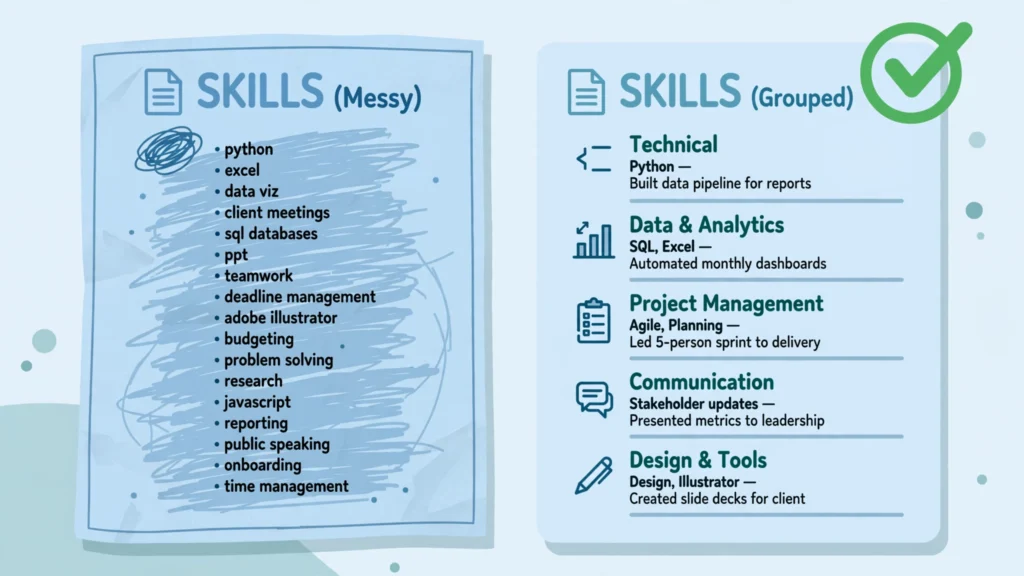
Here is a small example of grouping done well, using skills Jordan Lee actually has. He is a final-year business student. His raw list, before grouping, looked like this: Excel, Google Sheets, PowerPoint, written communication, spoken English, basic French, time management, teamwork, data entry, customer service. That is ten skills in one line, and a reader has to work to find anything in it. Grouped by function, the same ten skills look like this.
Data: Excel (pivot tables, charts), Google Sheets, data entry. Communication: written communication, spoken English, basic French. Working with others: teamwork, customer service, time management. PowerPoint sits awkwardly in that last group, so it moves to Tools, or into Communication as presentation work. The point is not the exact labels. The point is that a reader can now find the skill they care about without reading all ten.
Notice what grouping does not do: it does not add skills, and it does not hide weak ones. It organises what is already there. That is why it is the first structural step in learning how to write skills section for freshers with examples, before any proof line is written. A grouped section is easier to read, easier to tailor, and easier to defend, because you know where every skill sits and why it sits there. If a group has only one skill in it, ask whether that skill belongs in another group, or whether it is strong enough to stand on its own. Often it is not, and the section is better without it.
How to write skills section for freshers with examples: order by the job
Grouping decides what sits together. Ordering decides what the reader sees first, and that matters more than most freshers think. A reader scans from the top, and the first group sets their first impression. If the job is mostly about data, the data group should come first, even if your communication skills are stronger. If the job is mostly about talking to customers, the communication group should come first, even if your data skills are the ones you are proudest of. The section is written for the job, not for you, and the order should show that. That step is part of learning how to write skills section for freshers with examples well.
The same rule applies inside each group. Put the skill the job description names first, using the same wording, and let the rest follow in order of relevance. If the posting for a junior data role names Excel three times and mentions PowerPoint once, Excel goes first in its group and PowerPoint goes last. If the posting for a customer service role names clear written communication first, that skill leads its group.
This is not a trick. It is a courtesy to a busy reader: the thing they are looking for is the first thing they find. The CraftCVPro guide to what skills to put on a resume gives the same advice in plain terms — put the most relevant skills first, and prove the important ones — and it is advice worth following exactly, because it costs nothing and helps every time.
Ordering also helps you cut. When you order by relevance, the skills at the bottom of each group are the ones that matter least to this job, and they are the first candidates to remove when the section is too long. A skill that is genuinely useful but not relevant to this application is not wasted. It stays on your master list and comes back for the next application, where it may lead the section instead. Cutting is not losing a skill. It is choosing the right skills for this job, which is the whole point of how to write skills section for freshers with examples for one application at a time.
There is one more ordering decision that freshers often get wrong: they put their favourite skill first, or the skill they spent longest learning, or the one their friends think is impressive. None of those are the right test. The test is the job description. Read it again after you have grouped and ordered, and ask whether the first three skills a reader sees are the three the posting cares about most.
If they are not, reorder. It takes a minute, and it changes what the reader thinks of the whole page. A section that opens with the job’s own words feels like it was written for this job, because it was, and a reader notices that even if they cannot say why. That is the practical side of how to write skills section for freshers with examples.
Add one proof line per key skill
Grouping and ordering make a section easy to scan. Proof lines make it believable. A proof line is one short line, attached to a key skill, that says where you used it and what came of it. It is not a full bullet point, and it is not a story. It is a fragment: the skill, then a dash or a short clause, then the place you used it. “Excel — built a budget tracker for a class project, used by the whole group.” “Written communication — wrote the weekly update for a student society of 40 members.” Each line is short enough to fit under the skill, and strong enough to answer the interview question before it is asked.
This is the step that sets this guide apart from a plain skill list, and it is the step most ranking guides leave out or leave to the experience section. The usual advice is to prove skills in your experience bullets and leave the skills section as a bare list. That works well for someone with a job history, because their experience section is full of proof.
It works badly for a fresher, because the experience section may be thin or missing altogether. A fresher who waits for the experience section to do the proving may never get the chance. The proof line puts the evidence where the claim is, so the section stands on its own. That is the ResumeForg angle of this guide to how to write skills section for freshers with examples, and it is the part to spend the most time on.
Choose three to five key skills for proof lines, not every skill on the page. The key skills are the ones the job cares about most — the first skill in each group, usually, and any skill the posting repeats. A proof line on every skill would make the section long and noisy, and the proof would stop standing out.
A proof line on the three to five skills that matter most makes those skills impossible to miss, and the rest of the list benefits from the trust they create. A reader who believes your top three skills is more willing to believe the rest. A reader who believes none of them will not be persuaded by a longer list. That habit is at the heart of how to write skills section for freshers with examples.
Where does the proof come from, if you have no job? Start with what you have, and you almost certainly have more than you think. A class project proves a tool. A course proves a method, if you finished it and can show the work. A volunteering role proves reliability and communication. A part-time job proves customer service, timekeeping, and working under pressure.
A society role proves organisation and teamwork. Even a personal project proves a skill, if you can show the result or describe it clearly. Our guide to volunteer and part-time work explains how to turn those roles into real evidence, and the same thinking applies here: name the role, name what you did, and name what came of it, in one line.
Here are proof lines Jordan Lee wrote for his key skills, each one honest and each one tied to something real. “Excel — built a budget tracker for a student society, used to plan a term of events.” “Written communication — wrote the weekly email update for a society of 40 members.” “Customer service — served customers at a weekend part-time job in a small shop, handling returns and questions.” “Data entry — entered and checked 200 records for a class project, correcting errors before the deadline.” None of these lines is impressive on its own.

Together, they change the section completely, because every key skill now has a place, a task, and a result attached to it. A reader can ask about any of them, and Jordan can answer, because he did the work. Keep that in mind as you learn how to write skills section for freshers with examples.
Write your proof lines the same way: skill, then where, then what happened. Keep each one to a single line, and keep the language plain. Do not use a proof line to repeat the skill in different words, and do not use it to make a claim you cannot back up. “Excel — very good at Excel” is not a proof line. It is a claim wearing a dash.
“Excel — used pivot tables to summarise survey results for a class project” is a proof line, because it names a feature, a task, and a place. If you cannot write a proof line for a skill, that is useful information. It may mean the skill belongs in the second pile from your sorting step, the pile of things you have touched but cannot defend yet. Leave it off, learn it properly, and add it when you can prove it.
One more check for proof lines: read each one out loud as an answer to an interview question. “Tell me about a time you used Excel.” If your proof line answers that question in one breath, it is ready. If it does not, rewrite it until it does. This is also the five-minute test in its simplest form.
A skill with a proof line you can expand into a five-minute conversation is a skill that belongs on the page. A skill with a proof line that falls apart after one sentence is a skill to practise first and list later. That test is the heart of how to write skills section for freshers with examples that survive contact with a real interviewer.
List hard skills and show soft skills
Professional skills for resume writing fall into two kinds, and they do not behave the same way on the page. Hard skills are specific and teachable: a tool, a language, a method, a system. Excel, Google Sheets, data entry, basic French, bookkeeping, a design tool. A reader can test a hard skill, or at least ask a question that reveals whether you have it.
Hard skills belong in the skills section as a list, grouped and ordered as this guide describes. They are the skills the section exists to show, and a reader accepts them at face value until the interview, especially when the key ones carry proof lines. Soft skills belong in the section only sparingly, and only when they are backed by proof. A soft skill on its own is a claim about your character, and a stranger has no reason to believe it.
The same soft skill attached to a proof line — “Teamwork — organised a team of five for a class project, dividing tasks and meeting the deadline” — is evidence, because it names a real team, a real task, and a real result. The rule is simple to remember: list hard skills, show soft skills. The technical skills vs soft skills for CV question is really this rule, applied to the whole page, and it is worth learning early.
That does not mean soft skills should be left off entirely. A fresher applying for a customer-facing job needs the reader to know they can communicate and work with people. But the way to show that is through proof, not through a list of adjectives. One soft skill with a proof line is stronger than five soft skills in a row with nothing behind them.
“Communication, teamwork, leadership, problem-solving, time management” as a single line tells a reader nothing they did not already assume. The same five words, with proof lines on two of them and the rest cut, tell a reader something real. Cut the soft skills you cannot prove, keep the ones you can, and let the proof do the persuading. That is how to write skills section for freshers with examples in practice.
There is a related trap to avoid: dressing a soft skill up as a hard skill. “Advanced communication” is not a hard skill. There is no test for “advanced communication” that a reader can run, and the word “advanced” adds nothing but doubt. The same applies to “expert team player” and “excellent problem-solver”.
If a skill needs an adjective to sound strong, the skill itself is probably too vague to list. Name the concrete thing instead. “Written communication” is better than “excellent communication”, because it says what kind of communication you mean. “Organised a rota for a team of six” is better than “leadership skills”, because it says what you actually did. Plain words, with proof, beat impressive words with nothing behind them every time.
The Indeed guide to the best skills for a CV makes a similar point from the employer’s side: the skills that matter most are the ones the job asks for that you can genuinely prove, with a mix of hard and soft skills, and the most important ones backed by examples. That is the same rule this guide follows, applied inside the skills section itself.
Keep the hard skills in the list, keep the soft skills short, and prove the ones that matter most. A section built that way reads as honest, and honesty is the quality a fresher resume needs most, because it is the quality a reader is testing for. That step is part of learning how to write skills section for freshers with examples well.
How many skills should a fresher list?
The short answer is roughly six to fifteen hard skills, and fewer is fine for a fresher. That range comes from several guides that agree on it, including the Snow Resume and CraftCVPro guides linked in this post, and it fits the shape of a one-page fresher resume. Fewer than six, and the section may look thin, as if you have little to offer.
More than fifteen, and it starts to look like padding, because a reader stops believing that every skill on a long list is real and relevant. The exact number matters less than the reason behind it: every skill on the page should be relevant to the job and true of you. A list of eight relevant, proven skills beats a list of twenty mixed ones every time.
That range is a guide, not a rule, and there are good reasons to sit at the low end of it. A fresher applying for a first job often has six to ten real, provable skills, and that is enough. Adding five more to reach a number would mean adding skills from the second pile — things touched but not defended — or from a list found online.
Both weaken the section. A reader would rather see eight skills they believe than fifteen they doubt. If your honest list is seven skills long, write seven. If it is twelve, write twelve. The number is the result of honest sorting, not a target to hit. That is the practical side of how to write skills section for freshers with examples.
There is also a practical reason to stay in range: the software scan. Applicant tracking systems look for the words the posting uses, and a section with too few skills may miss matches. But a section stuffed with extra words does not help either, because the same systems, and the human reader after them, notice when a list has no focus.
The skills that match the posting are the ones that matter, and they should be the first ones a reader sees. A short, relevant list matches better than a long, scattered one, because every word in it is there for a reason. That is another reason to learn how to write skills section for freshers with examples by choosing, not by collecting.
Count your skills after grouping, not before. A grouped section with three groups of three or four skills each feels complete, even though the total is only nine or ten. An ungrouped list of the same ten skills feels short, because it reads as one block. Grouping changes how the number feels, which is one more reason to group first and count second.
If the grouped section still looks thin after honest sorting, the answer is not to add skills you cannot defend. The answer is to build more proof: finish a course, take on a project, volunteer for a task that uses the skill. Our guide to courses and certifications explains how to choose a course that earns a line on the page, and a completed course with a proof line is worth more than a claimed skill with nothing behind it.
Where the skills section goes on a fresher resume
For most freshers, the skills section goes near the top of the page, under the summary or objective, and above education or projects. That placement exists for a simple reason: it is the first thing a reader checks when they want to know whether you have the tools for the job, and putting it near the top saves them from hunting for it.
That placement is not right for every fresher. If you have a strong internship or a strong project that proves your skills better than a list can, the experience or projects section may deserve the top spot, with skills just below it. Our guide on how to update your resume after an internship explains that reordering: after an internship, experience leads, because experience is now the strongest thing on the page.
The same thinking applies here. The section order should follow the strength of the evidence, not a fixed template. Skills near the top is the default for a fresher with no experience. Skills below a strong project or internship is the right choice when that project or internship is stronger evidence than the list alone.
Whatever the order, keep the heading plain. “Skills” is the best heading, and “Key Skills” is a fine alternative. Fancy headings — “Core Competencies”, “Technical Toolbox”, “What I Bring” — add nothing and can confuse a software scan that looks for the word “Skills”. A plain heading also helps the reader find the section in a second, which is the whole point of placing it near the top. The section should be easy to find, easy to scan, and easy to believe. A plain heading, grouped lines, and proof lines on the key skills deliver all three, and nothing else is needed. Keep that in mind as you learn how to write skills section for freshers with examples.
There is one more placement question freshers ask: should skills be repeated elsewhere on the page? Yes, in a different form. The key skills should also appear in your project or experience bullets, where they are shown in use. That repetition is not a mistake. It is the point. A skill listed in the skills section and shown in a bullet underneath it is a claim with evidence, and the two together are stronger than either one alone.
What should not be repeated is the whole list, word for word, in the summary. The summary should name two or three skills at most, as a preview, and leave the full list to its own section. Our guide to objective versus summary for freshers explains how to keep the summary short and let the sections below it do the detailed work.
How to write skills section for freshers with examples: what to leave out
Knowing what to leave out is as important as knowing what to put in, and freshers often leave out too little. The first things to cut are generic traits: hardworking, honest, punctual, quick learner, team player. Every candidate claims them, no reader believes them on their own, and they take up space that a real skill could use. If you are hardworking, show it with a proof line about a project you finished on time.
If you are a quick learner, show it with a course you completed or a tool you picked up for a project. The trait without the proof is filler, and filler is the first thing to cut from a section that has to earn its space. That check belongs in every attempt at how to write skills section for freshers with examples.
The second things to cut are basics everyone is assumed to have. “Microsoft Word”, “email”, “internet”, “basic computer skills” — for most jobs, these are assumed, and listing them suggests you have little else to offer. There are exceptions. If a job specifically asks for a tool that others might not have, name it.
If you are applying for a role where a basic skill is genuinely part of the work, keep it. But as a rule, a skill that almost every applicant has does not help you stand out, and it makes the section longer without making it stronger. A reader who sees “email” in a skills section wonders what else is padding, and that doubt spreads to the skills that matter.
The third things to cut are skills you cannot talk about for five minutes. This is the interview-defence test again, and it is the strictest cut in this guide. If you list a tool you used once in a tutorial, a language you studied for a term years ago, or a method you read about but never used, you are inviting a question you cannot answer.
The honest move is to leave it off and learn it properly, or to list it with an honest level — “basic”, “learning” — if the job asks for it and you are genuinely working on it. An honest “basic” is stronger than a claimed skill that collapses in the interview, because it shows self-knowledge, and self-knowledge is something a reader trusts. That is how to write skills section for freshers with examples in practice.
The fourth things to cut are skill bars, star ratings, and percentage scores. A bar that says you are 80% good at Excel means nothing, because nobody knows what 80% means, and the software that reads your resume cannot read a bar at all. A star rating has the same problem, with the added risk of looking like a self-assessment a reader did not ask for.
Plain words, grouped, with proof lines, are the format that survives both the scan and the interview. Anything visual that replaces words is a risk, and a fresher does not need it. Keep the section in plain text, in a single column, with the same font as the rest of the page, and let the content do the work.
Finally, cut anything that does not belong to this job. A skill that is real and proven but irrelevant to the posting does not earn a place in this version of the section. It stays on your master list and returns for the next application. That is not a loss. It is tailoring, and it is the difference between a section written for one job and a section written for every job. A section written for every job feels generic, because it is. A section written for one job feels specific, because the reader can see the job in it. That specificity is what learning how to write skills section for freshers with examples is really about.
How to write skills section for freshers with examples: Jordan Lee before and after
The method in this guide is easier to see than to describe, so here it is in full, twice, for the same student. Jordan Lee is a final-year business student. He has no full-time job history. He has a part-time weekend job in a small shop, a student society role, a class project, and a short online course he finished.
His real skills are the same in both examples below: Excel, Google Sheets, data entry, written communication, spoken English, basic French, customer service, teamwork, time management, and PowerPoint. What changes is the job, and therefore the grouping, the ordering, and the proof lines. Watch how much the section changes when the job changes, even though the person does not. That step is part of learning how to write skills section for freshers with examples well.
The first job is a customer service assistant at a small company. The posting asks for clear written and spoken communication, handling customer questions calmly, using a booking system, and keeping accurate records. Here is the section Jordan wrote first, before he learned the method — a bare list, copied from the kind of list freshers find online, with a few of his own skills mixed in.
Skills: Communication, teamwork, hardworking, problem-solving, Microsoft Office, Excel, customer service, time management, leadership, attention to detail, quick learner, French, data entry, PowerPoint, Google Sheets, written communication, spoken English.
That version has seventeen skills, and it fails every test in this guide. It is not grouped, so a reader cannot scan it. It is not ordered by the job, so the skills the posting cares about are buried in the middle. It has no proof, so a reader has no reason to believe any of it. It includes generic traits — hardworking, quick learner, leadership — that prove nothing.
And it includes “Microsoft Office” alongside Excel, PowerPoint, and Google Sheets, which repeats the same tools in vaguer words. It looks full. It says nothing. A reader who sees this section learns that Jordan can copy a list. They learn nothing about what he can do. That is the practical side of how to write skills section for freshers with examples.
Here is the same section rewritten with the method, for the same job. The skills are the same ones Jordan actually has. The difference is the building: grouped by function, ordered by the job, and proven where it matters.
Skills
Communication: written communication — wrote the weekly email update for a student society of 40 members; spoken English; basic French.
Customer service: customer service — served customers at a weekend part-time job, handling returns and questions calmly; teamwork.
Tools and data: Excel — built a budget tracker for the society, used to plan a term of events; Google Sheets; data entry — entered and checked 200 records for a class project.
Organisation: time management; PowerPoint.
Read the two versions side by side and notice what changed. The rewritten version has ten skills, not seventeen, because the generic traits and the vague “Microsoft Office” are gone. The communication group comes first, because the job is mostly about communication. The proof lines sit on the three skills the posting cares about most: written communication, customer service, and Excel. A reader can scan it in seconds, find the skill they care about, and see the proof beside it. The section is shorter than the bare list, and it says far more. That is the whole method in one example, and it is what learning how to write skills section for freshers with examples looks like in practice.
There are two details in the rewrite worth noticing. First, PowerPoint is in the Organisation group, which is not a perfect fit, and that is honest to admit. PowerPoint is a presentation tool, and it could sit in Communication instead. Jordan chose Organisation because the group was short and the tool is used for planning and presenting plans, but either placement would be defensible. Group labels are a judgement, not a rule, and a reader will not mark you down for putting a tool in a sensible neighbouring group. What matters is that the skill is easy to find and the grouping is consistent, not that the labels are perfect.
Second, notice what is not in the rewrite: there is no proof line on every skill. Spoken English, basic French, teamwork, Google Sheets, and time management have no proof line, and that is deliberate. The proof lines are on the three skills the job cares about most. The rest are listed plainly, and the trust created by the proven skills carries them.
If Jordan tried to prove all ten, the section would be twice as long and the proof would stop standing out. Three to five proof lines is the right range, and this example uses three. That restraint is part of the method, not a shortcut. That habit is at the heart of how to write skills section for freshers with examples.
The same skills, a different job: Jordan Lee for a junior data role
Now the same student applies for a different job: a junior data assistant role, entering and checking records, building simple summaries in Excel, and presenting findings in plain words to the team. The posting asks for Excel, attention to detail, data entry, and clear written summaries. Jordan’s skills have not changed. His section should change a lot, because the job has changed. Here is the version he would write if he copied the customer service section across without changing it.
Skills
Communication: written communication — wrote the weekly email update for a student society of 40 members; spoken English; basic French.
Customer service: customer service — served customers at a weekend part-time job, handling returns and questions calmly; teamwork.
Tools and data: Excel — built a budget tracker for the society, used to plan a term of events; Google Sheets; data entry — entered and checked 200 records for a class project.
Organisation: time management; PowerPoint.
That version is not wrong about Jordan. Every skill in it is true, and every proof line is real. But it is wrong for this job, because it leads with communication and customer service, which this posting cares about least, and buries the data skills the posting cares about most. A reader for the data role has to read past two groups to reach the one that matters.
A reader in a hurry may not get there. The section was written for one job and sent to another, and it shows. That is the cost of not tailoring, and it is a cost freshers pay quietly, application after application, without knowing why the replies do not come. Keep that in mind as you learn how to write skills section for freshers with examples.
Here is the section rewritten for the data role, from the same skill set, with the same method.
Skills
Data: Excel — used pivot tables to summarise survey results for a class project; Google Sheets; data entry — entered and checked 200 records, correcting errors before the deadline.
Communication: written communication — wrote a short summary of the class project findings for the team; spoken English.
Working with others: teamwork; time management; customer service.
Languages and tools: basic French; PowerPoint.
The differences are small on the surface and large in effect. The data group comes first, and it leads with Excel, the skill the posting names most. The proof lines have changed too: the Excel proof line now names pivot tables and survey results, because that is the proof this job cares about, and the written communication proof line now names a summary of findings, not a society email. The customer service proof line is gone, not because the skill is gone, but because it is not one of the three to five key skills for this job. The skill itself stays, in a lower group, without a proof line, ready for the next application where it leads again.
Compare the two rewritten sections and notice what stayed the same and what changed. The skills are the same. The grouping changed, the ordering changed, and two of the three proof lines changed. That is tailoring, and it is the reason this guide teaches a method rather than a template. A template gives you one section for every job.
A method gives you a section for this job, built from the same honest material, in a few minutes. The second approach is the one that gets replies, because it shows the reader that you read the posting, understood it, and built your page around it. That is the practical side of how to write skills section for freshers with examples for more than one application.
There is a lesson in the data-role example for the proof lines, too. Jordan’s Excel proof line changed because the proof that matters changed. For the customer service job, the budget tracker proved he could build something useful with Excel. For the data job, the pivot tables and survey results prove he can analyse with it. Both are true, and both come from real work he did.
A fresher who keeps a master list of skills with several proof notes beside each one — different projects, different uses — can choose the proof that fits each job, instead of using the same line everywhere. That is a small habit, and it makes the tailoring step faster and more honest. Keep the master list, keep the proof notes, and the section for each new job writes itself in minutes. That check belongs in every attempt at how to write skills section for freshers with examples.
How to write skills section for freshers with examples: tailor in two minutes
Tailoring sounds like a long job, and for the whole resume it can take a while. For the skills section alone, it takes about two minutes, once you have a master list with proof notes. Here is the two-minute version, step by step, so you can run it for every application without dreading it. First, read the new posting and circle the skills it names, in its own words. Second, open your master list and mark the overlap — the skills the posting asks for that you genuinely have.
Third, reorder your groups so the group the posting cares about most comes first, and reorder inside each group so the posting’s words come first. Fourth, swap the proof lines to the ones that fit this job best, from the proof notes on your master list. Fifth, cut any skill that is not relevant to this posting, even if it is real. Save the new version with the job name in the file name, so you never send the wrong version to the wrong employer.
Two minutes is honest, not a slogan, because the work is reordering and swapping, not rewriting from scratch. The skills are already chosen. The proof lines are already written. The only new work is deciding which ones lead for this job. A fresher who does this for every application sends a section that feels written for that job, because it was, and a fresher who skips it sends the same section everywhere, which feels generic, because it is.
Our guide on how to tailor your resume for each job explains the same habit for the whole page, and the skills section is the fastest place to start, because the changes are small and the effect is immediate. That is how to write skills section for freshers with examples in practice.
There is one mistake to avoid in the two-minute tailoring step: adding a skill you do not have because the new posting asks for it. The posting is a wish list, not a test you must pass in full. No fresher matches every skill in a posting, and employers know that. A section that matches the posting’s top three or four skills, honestly and with proof, is stronger than a section that matches all twelve by claiming skills you cannot defend.
The tailoring step is about choosing which of your real skills to lead with, not about inventing skills to fill gaps. If a posting asks for a tool you have never used, leave it off, and use the rest of the resume to show that you learn quickly — with a course you finished, or a tool you picked up for a project. Honesty in the skills section is what makes the rest of the page believable.
Keep your master resume safe, and make a copy for each application. That way the master list never gets overwritten by a tailored version, and you can always go back to the full list for the next job. Our guide on how to update your resume after an internship gives the same advice for a different reason: the master copy is the source of truth, and each application is a copy cut for one job. The skills section works the same way. Master list first, tailored copy second, and never the other way round. That step is part of learning how to write skills section for freshers with examples well.
Mistakes that weaken a skills section
Most weak skills sections fail in the same few ways, and each one is easy to fix once you can see it. The first mistake is the bare list: a long line of skills with no grouping, no ordering, and no proof. It is the default for a fresher who is in a hurry, and it is the weakest version of the section, because it asks the reader to do all the work. Group it, order it, and prove the key skills, and the same list becomes a section. That is the first fix, and it is the one this whole guide is built around.
The second mistake is the opposite: a section so long that it crowds out the rest of the page. Twenty or thirty skills, five groups, proof lines on everything, and the section takes a third of the page. The reader stops reading it, the projects that prove the skills have no room left, and the resume stops fitting on one page. The fix is the cut rule from earlier in this guide: six to fifteen hard skills, two to four groups, three to five proof lines.
If the section is longer than that, cut from the bottom of each group, where the least relevant skills sit. A shorter section is not a weaker section. It is a section that respects the reader’s time and the page’s space. Our one-page resume for freshers guide explains how the whole page fits together, and the skills section is one part of that budget, not the whole of it. That is the practical side of how to write skills section for freshers with examples.
The third mistake is listing skills in the summary and the skills section and the experience bullets, all in the same words, so the page repeats itself three times. Repetition of a key skill in two places — the skills section and a bullet that proves it — is good. Repetition of the whole list in three places is filler, and it wastes the reader’s time. Keep the summary to two or three skills at most, keep the full list in its own section, and let the bullets show the key skills in use. Each part of the page should do a different job, and the skills section’s job is to list and prove, not to repeat what the summary already said.
The fourth mistake is using the same section for every job. It is the mistake Jordan made in the data-role example above, and it is the most common mistake in this whole guide, because it feels efficient. It is not efficient. It is a section that fits no job well, sent to every job, and it costs replies. The two-minute tailoring step exists to fix it, and it is worth doing every time, even when you are tired and the deadline is close. A section tailored in two minutes beats a section copied in ten seconds, every time. That habit is at the heart of how to write skills section for freshers with examples.
The fifth mistake is the visual one: skill bars, star ratings, columns, icons, and tables. A fresher who uses a fancy template often inherits these, and they look modern. They are also unreadable to the software that scans the resume, meaningless as self-assessment, and harder to scan than plain grouped text. The fix is to use a plain template and plain text. The free templates on ResumeForg give you a clean one-page layout with a simple skills section, and that simplicity is a strength, not a limitation. A resume that parses cleanly and reads clearly will beat a resume that looks impressive and parses badly, because the first one gets read and the second one gets lost.
A short checklist before you send your resume
Run through this list once, with the resume open in front of you, before you send it. It takes five minutes, and it catches the mistakes this guide warns about. First, read the skills section as a stranger would. Can you find the skill the job cares about most in a few seconds? If not, reorder. Second, check the grouping. Are there two to four groups, each with a short plain label, and does every skill sit in a group that makes sense? Third, count the skills.
Are there roughly six to fifteen hard skills, and is every one of them relevant to this job and true of you? Fourth, check the proof lines. Are there three to five, one per key skill, each naming where you used the skill and what came of it? Fifth, run the five-minute test. For each skill, ask whether you could talk about it for five minutes in an interview. Cut any skill that fails. Keep that in mind as you learn how to write skills section for freshers with examples.
Sixth, check the soft skills. Are there only a few, and does each one have a proof line or a bullet behind it? Cut any soft skill that stands alone as a bare word. Seventh, check what you left out. Are there generic traits, basics everyone has, skill bars, or star ratings still on the page? Remove them. Eighth, check the placement.
Is the section near the top, under the summary, where a reader will find it first? Ninth, check the wording against the posting. Does the section use the posting’s words for the skills it names? Tenth, check the whole page. Does it still fit on one page, with room for the projects and education that prove the skills? If the skills section has grown too long, cut from the bottom of each group.
If the section passes all ten checks, it is ready. Send it, and keep the master copy safe for the next application. If it fails one, fix that one thing and check again. A skills section does not need to be perfect. It needs to be honest, grouped, ordered by the job, and proven where it matters. That is a standard a fresher can meet, and it is a standard a reader can trust. Learning how to write skills section for freshers with examples is really learning that standard, and then applying it, job after job, until it becomes a habit.
Frequently asked questions
How many skills should a fresher list on a resume?
Roughly six to fifteen hard skills, and fewer is fine for a fresher. The exact number matters less than the reason behind it: every skill should be relevant to the job and true of you. A list of eight relevant, proven skills beats a list of twenty mixed ones. Count after grouping, not before, because a grouped section with three groups of three or four skills each feels complete even though the total is only nine or ten. If your honest list is seven skills long, write seven. Do not add skills you cannot defend just to reach a number. That check belongs in every attempt at how to write skills section for freshers with examples.
Should I list skills I am still learning?
Yes, if you are honest about the level and the job asks for the skill. Write “basic” or “learning” beside it, and be ready to say what you have done so far — a course you finished, a project you started, a tutorial you worked through. An honest “basic” is stronger than a claimed skill that collapses in the interview. What you should not do is list a skill you are still learning as if you were fluent in it. A reader who tests it will find out quickly, and the gap will cost you more than the missing skill ever would. Learn it properly, add the proof, and then list it without a qualifier.
Where do soft skills go on a fresher resume?
Soft skills go in the skills section only sparingly, and only with proof. List your hard skills in the grouped section, and show your soft skills through proof lines and experience bullets. “Teamwork — organised a team of five for a class project” belongs on the page. “Teamwork” on its own, in a list of five soft skills, does not. The rule is to list hard skills and show soft skills, and it applies to the whole resume, not just this section. If a soft skill matters for the job, prove it. If you cannot prove it, leave it off and let your projects speak for you. That is how to write skills section for freshers with examples in practice.
Can I copy skills from the job description?
You can use the job description’s words for skills you genuinely have, and you should. That is not copying. It is speaking the employer’s language, and it helps both the software scan and the human reader. What you must not do is copy a skill from the posting that you do not have, or copy the whole posting into your section. The test is always the same: the posting asks for it, and you can prove it. Both parts have to be true before the skill earns a place. If a skill fails the second part, leave it off, however often the posting repeats it.
Do skill bars or star ratings help a fresher resume?
No. Skill bars, star ratings, and percentage scores mean nothing, because nobody knows what 80% or four stars means, and the software that reads your resume cannot read a bar at all. They also draw attention to your weakest skills, which is the last thing a fresher needs. Plain grouped text, with proof lines on the key skills, is the format that survives both a quick human scan and a software parse. Keep the section in plain text, in a single column, with the same font as the rest of the page, and let the content do the work. That step is part of learning how to write skills section for freshers with examples well.
What if I have no work experience to prove a skill?
Use what you have. A class project proves a tool. A finished course proves a method. A volunteering role proves reliability and communication. A part-time job proves customer service and timekeeping. A society role proves organisation and teamwork. Even a personal project proves a skill, if you can show the result or describe it clearly. The proof does not need a job title behind it. It needs a real place, a real task, and a real result, in one short line. That is enough, and it is what most freshers have, even when they think they have nothing.
Should technical and soft skills be in separate groups?
They can be, but grouping by function is usually better than grouping by type. A group called “Data” can hold both a hard skill like Excel and the soft skill of presenting findings, because they are used together for the same kind of work. A group called “Technical” and a group called “Soft” tells the reader what kind of skill each one is, but not what it is for, and that is the information a reader needs.
The technical skills vs soft skills for CV question matters most in how you prove each kind: list the hard skills, show the soft skills with proof. The group labels themselves should follow the work, not the type. That is the practical side of how to write skills section for freshers with examples.
How do I prove a skill without a job?
Write a proof line from a project, a course, volunteering, or part-time work, in one line: the skill, then where you used it, then what came of it. “Excel — used pivot tables to summarise survey results for a class project” is a proof line from a class project. “Written communication — wrote the weekly update for a student society of 40 members” is a proof line from a society role. Neither needs a job. Both name a real place, a real task, and a real result. Keep a master list of your skills with a proof note beside each one, and choose the proof that fits each job when you tailor the section.
Is a longer skills list better for applicant tracking systems?
No. A longer list is not better, and stuffing the section with extra words does not help. Applicant tracking systems look for the words the posting uses, and a short, relevant list matches better than a long, scattered one, because every word in it is there for a reason.
A list stuffed with skills you cannot defend may match more words, but it will fail the human reader who follows the scan, and it will fail the interview that follows. Choose the skills the posting asks for that you genuinely have, use the posting’s wording, and let the proof lines do the rest. That is how to write skills section for freshers with examples that works for both readers, human and software.
Should the skills section change for every job?
Yes, in its ordering, grouping, and proof lines, even though your skills themselves do not change. The two-minute tailoring step in this guide shows how: reorder the groups so the group the new posting cares about most comes first, reorder inside each group so the posting’s words come first, swap the proof lines to the ones that fit this job best, and cut any skill that is not relevant to this posting. The skills are the same. The section is different, because the job is different. A section that changes for each job shows the reader that you read the posting, and that is worth two minutes every time.